 Quang Hoang
3.4 KiB
Summary
Related EPIC
- TODO: {link}
Acceptance Criteria:
GIVEN I'm a Tmail user
AND There are existed uread emails on my mailbox
WHEN I swipe left to right on an email rows
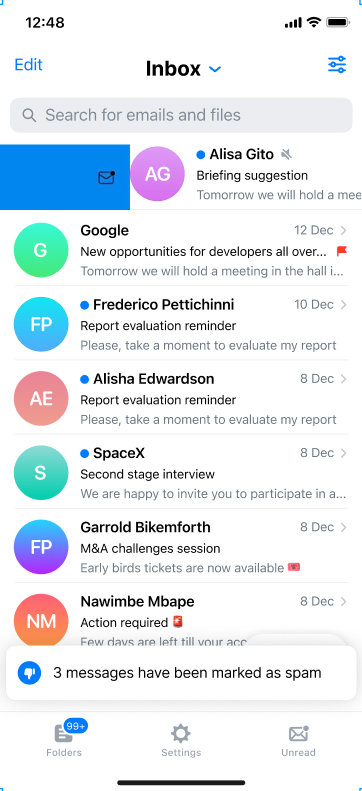
THEN I see the email row is swiped as blue background color belong with "read email icon"
AND System mark an email as read

GIVEN I'm a Tmail user
AND There are existed read emails on my mailbox
WHEN I swipe left to right on an email rows
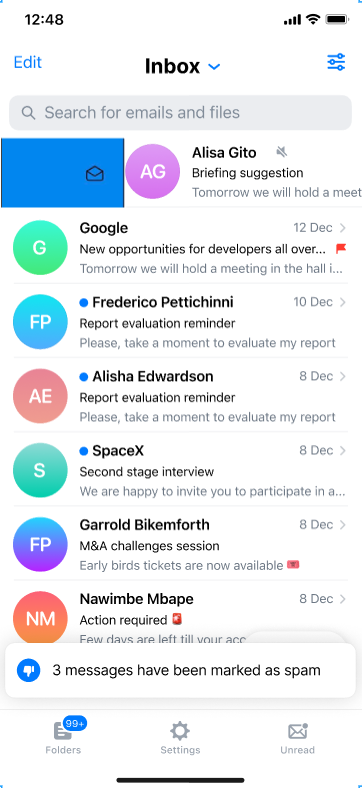
THEN I see the email row is swiped as blue background color belong with "unread email icon"
AND System mark an email as unread

GIVEN I'm a Tmail user
AND There are existed emails on my normal folder which not archive folder
WHEN I swipe right to left on an email rows
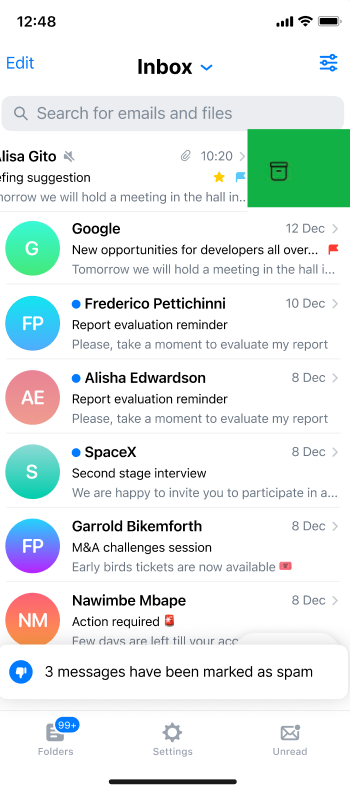
THEN I see the email row is swiped as green background color belong with "archive email icon"
AND System move the email to archive folder with the toast message

GIVEN I'm a Tmail user
AND There are existed archived email
WHEN I swipe right to left or left to right on an email rows
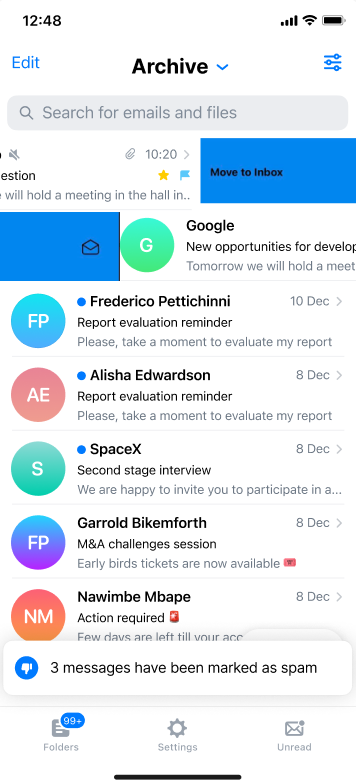
THEN I see the email row is swiped as blue background color belong with "Inbox icon" and the word "Move to inbox"
AND System move the archived email to inbox with the toast message
Definition
**UC1. As I am a user, I want to swipe left to right to mark an email as read without opening this email On thread-view, when I swipe left to right on email which be unread state, I can see: Configs in Swipe Options: Swipe left to right = Read/Unread
- The icon indicator this is unread email
- The background color is blue
Expected: User mark an email as read successfully.
**UC2. As I am a user, I want to swipe left to right to mark an email as unread without opening this email On thread-view, when I swipe left to right on email which be unread state, I can see: Configs in Swipe Options: Swipe left to right = Read/Unread
- The icon indicator this is read email
- The background color is blue
Expected: User mark an email as unread successfully.
**UC3. As I am a user, I want to swipe right to left to archive an email On thread-view, when I swipe left to right on email which be not in Archive mailbox, I can see: Configs in Swipe Options: Swipe right to left = Archive
- The icon indicator this is Archive email
- The background color is green
Expected: System display a toast message. User archived email successfully. This email is moved to Archived mailbox
**UC4. As I am a user, I want to swipe left to right and even if right to left in order to move the archived email to inbox On thread-view of Archive folder, when I swipe left to right / right to left then the archived email is moved to inbox
Expected: I see the email row is swiped as blue background color belong with "Inbox icon" and the word "Move to inbox" AND System move the archived email to inbox with the toast message
Screenshots:
Misc
None