 Diep Tran
695e84fda6
Diep Tran
695e84fda6
Create-TF-1639-User-can-manage-label

(cherry picked from commit 2797856516e363577e2e62822d14697a26d0d1c1)
73 lines
2.8 KiB
Markdown
73 lines
2.8 KiB
Markdown
# Summary
|
||
|
||
* [Related EPIC](#related-epic)
|
||
* [Definition](#definition)
|
||
* [Screenshots](#screenshots)
|
||
* [Misc](#misc)
|
||
|
||
## Related EPIC
|
||
|
||
https://github.com/linagora/tmail-flutter/issues/1638
|
||
|
||
## Definition
|
||
### UC1. View label list in the left panel
|
||
- Given that I am a Tmail user and I have logged in successfully
|
||
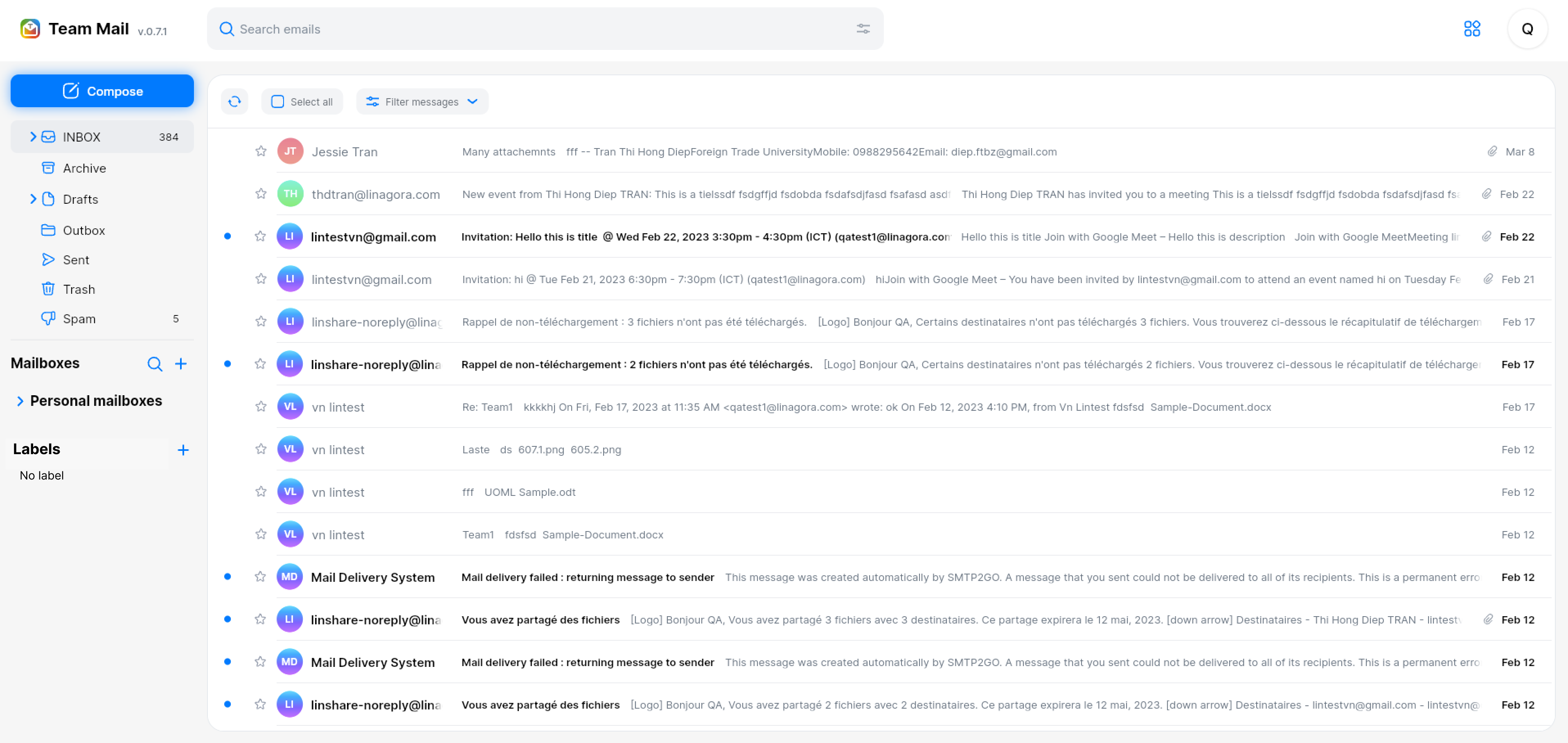
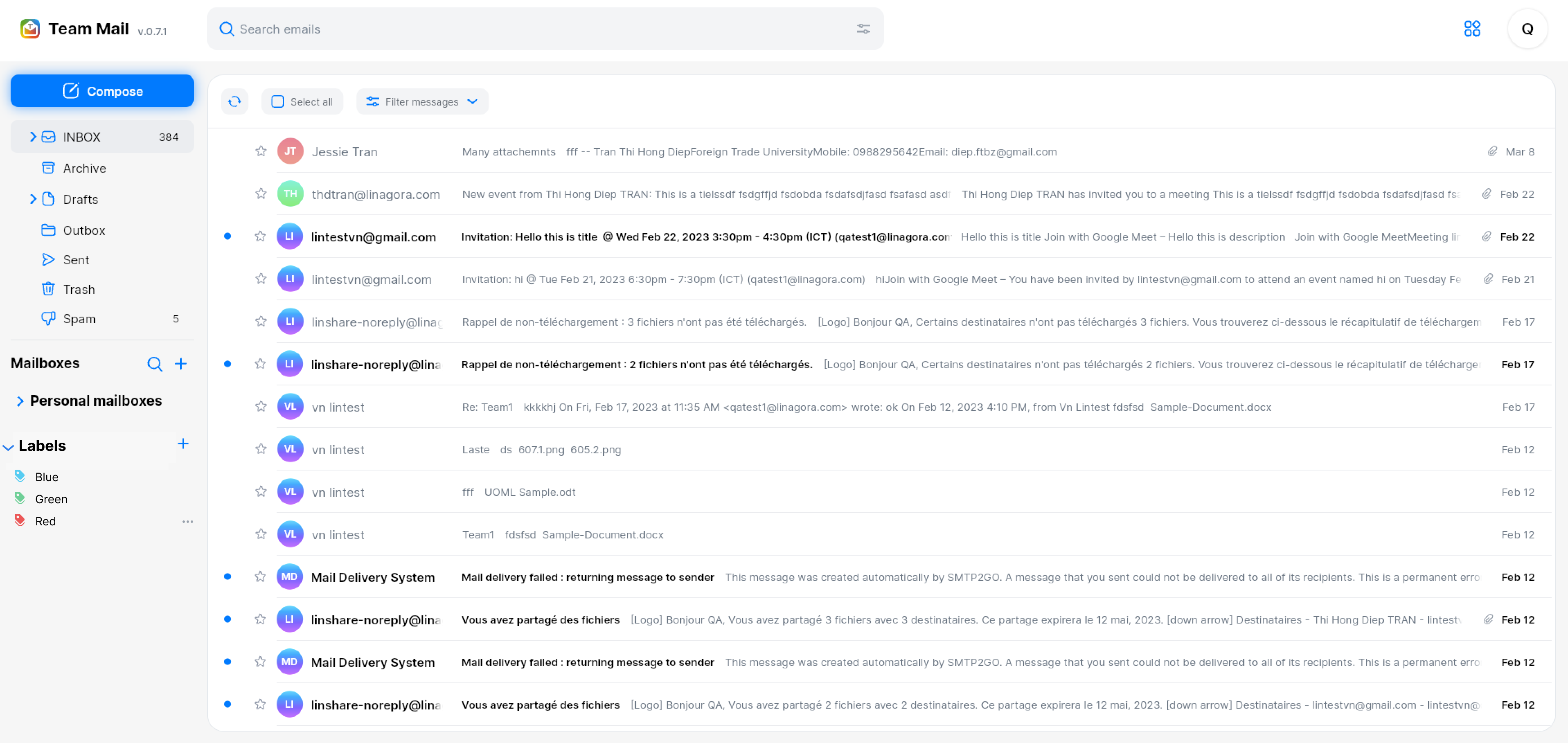
- On the left panel, I can see a new category: Label
|
||
- Under this category, I can see list of label that I have created:
|
||
- Each label contain a tag icon with color, and label’s name
|
||
- If currently there is no label, there will be a text: No label under category’s name
|
||
|
||
|
||
|
||
|
||
|
||
|
||
#### UC2. Create a new label
|
||
- Next to category “Label” in the left panel, I can see a Create button
|
||
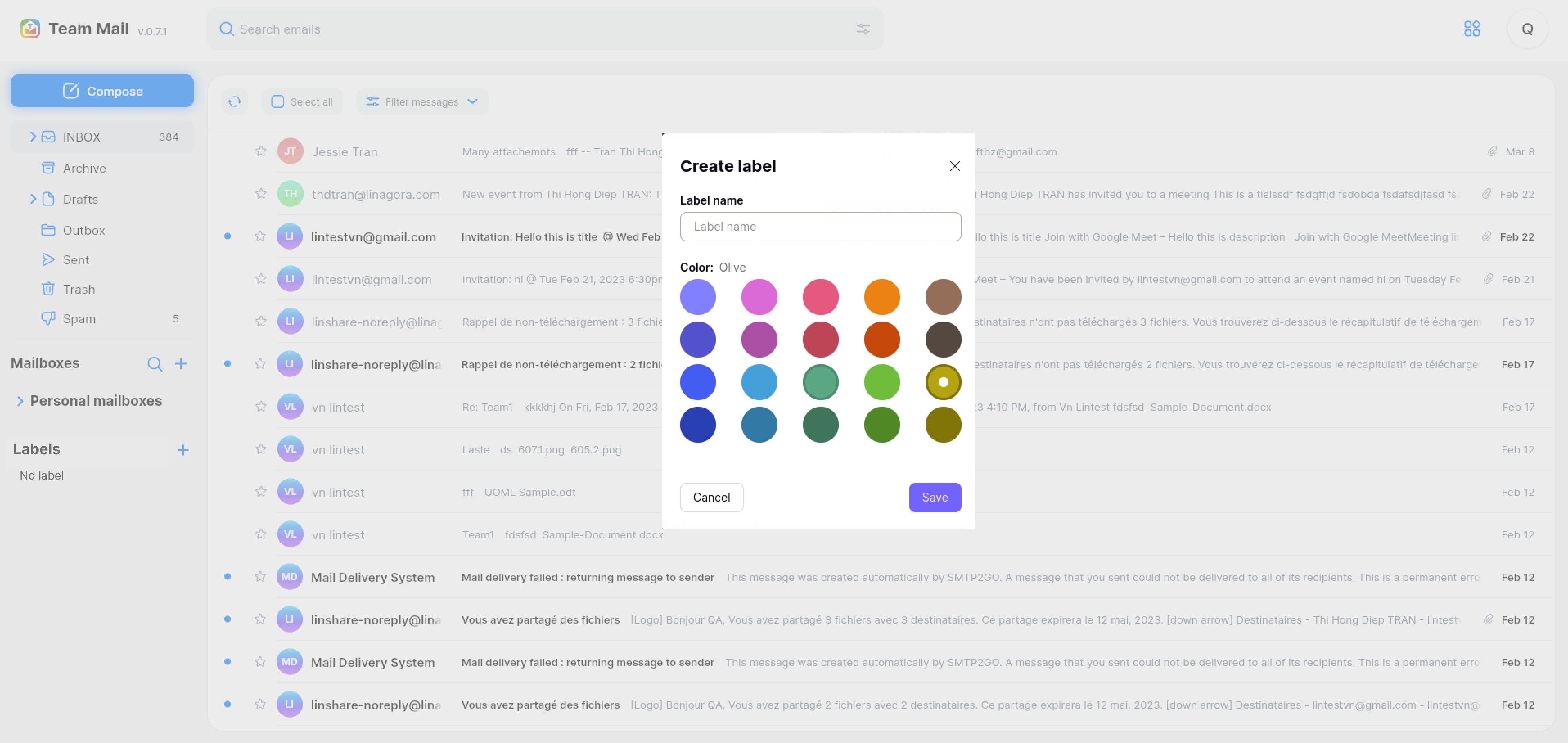
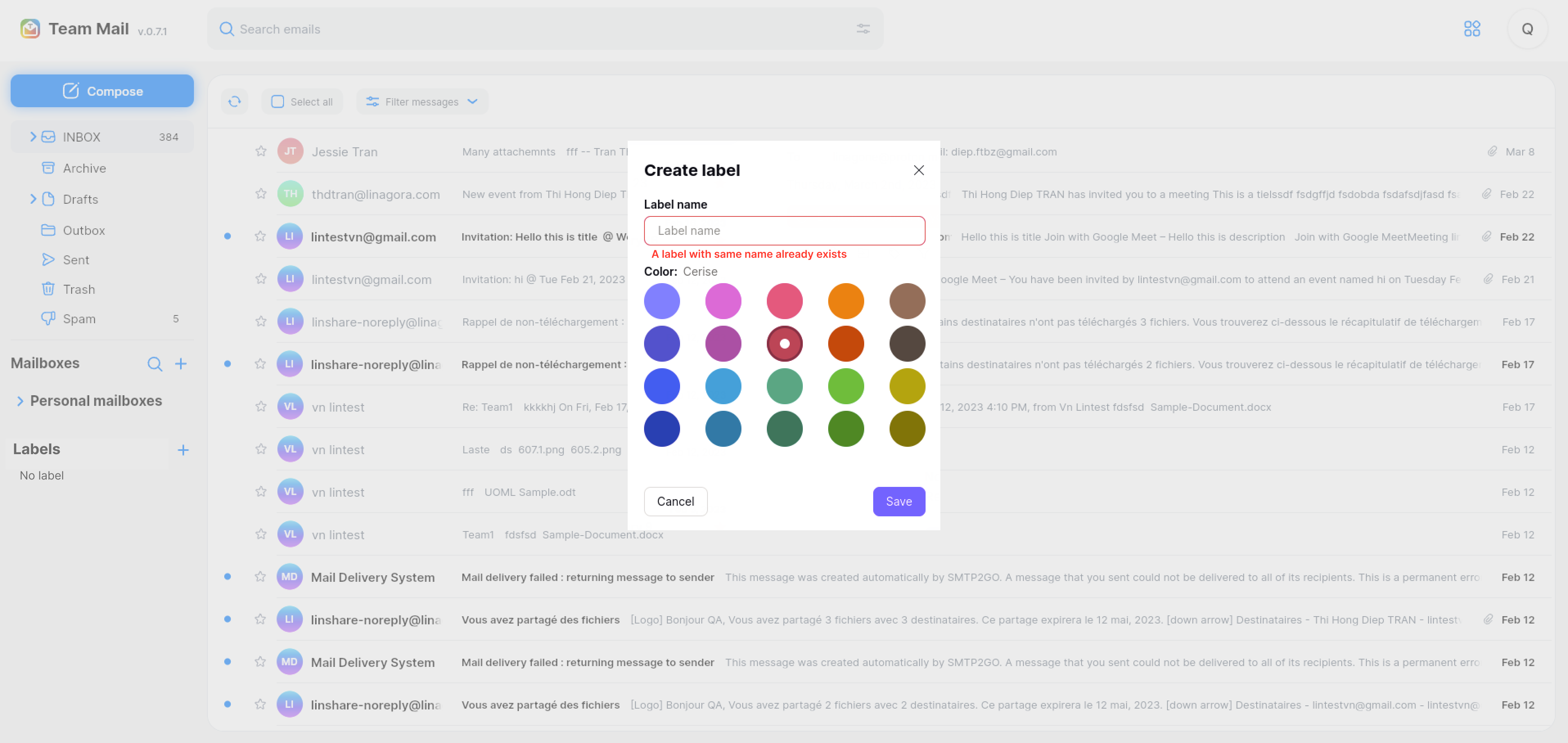
- I click on this button, there will be a popup displayed. I need to fill in:
|
||
- Field “Name: Input label’s name. This is mandatory field and the max length of label name is as same as max length of mailbox’s name
|
||
- Color: I can select a color for the label from a color palette. Default is no color.
|
||
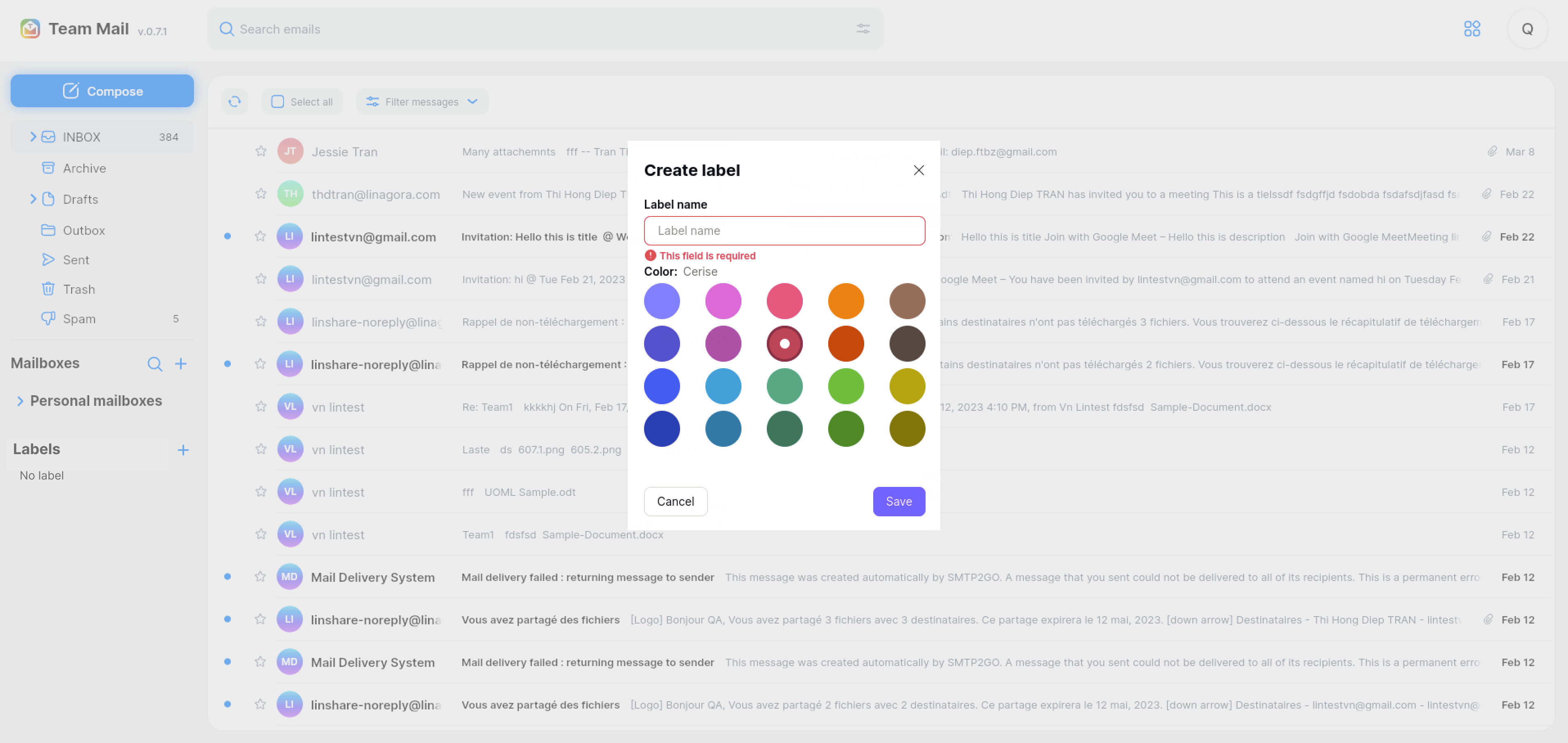
- After inputting name and selecting the color for the new label, I click button Save, the system will validate:
|
||
- If the field “Name’ is blank, there will be an error message: “This field is required.”
|
||
- If there is existing label with the same name, there will be an toast message: “ A label with this name already exists”
|
||
- If there is no error, new label will be created and it appears in label list in left panel with selected color.
|
||
|
||
|
||
|
||
|
||
|
||
|
||
|
||
|
||
|
||
|
||
#### UC3. Edit a label
|
||
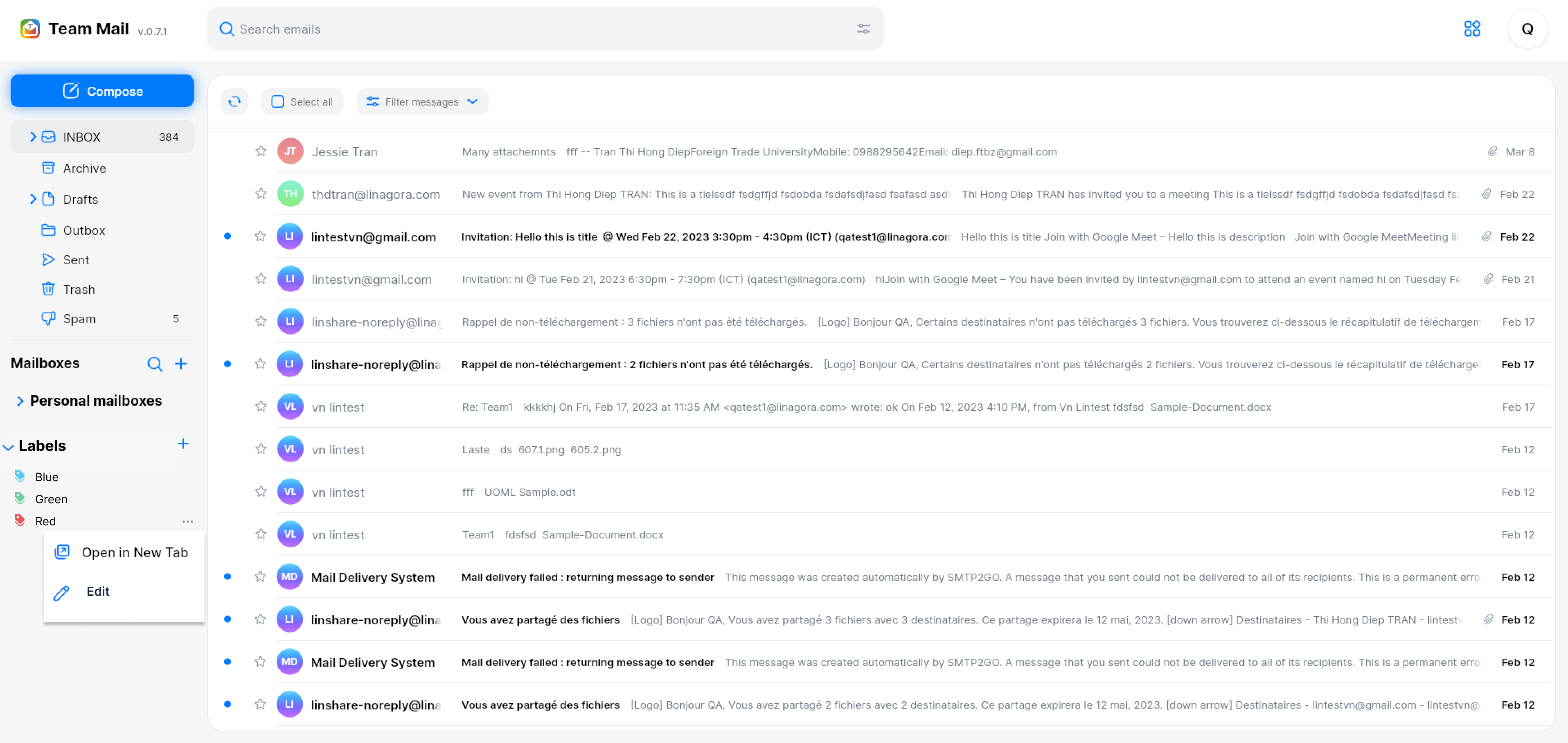
- I click on three-dot button of a label in left panel, a list of actions is shown: Open in new tab, Edit and Delete
|
||
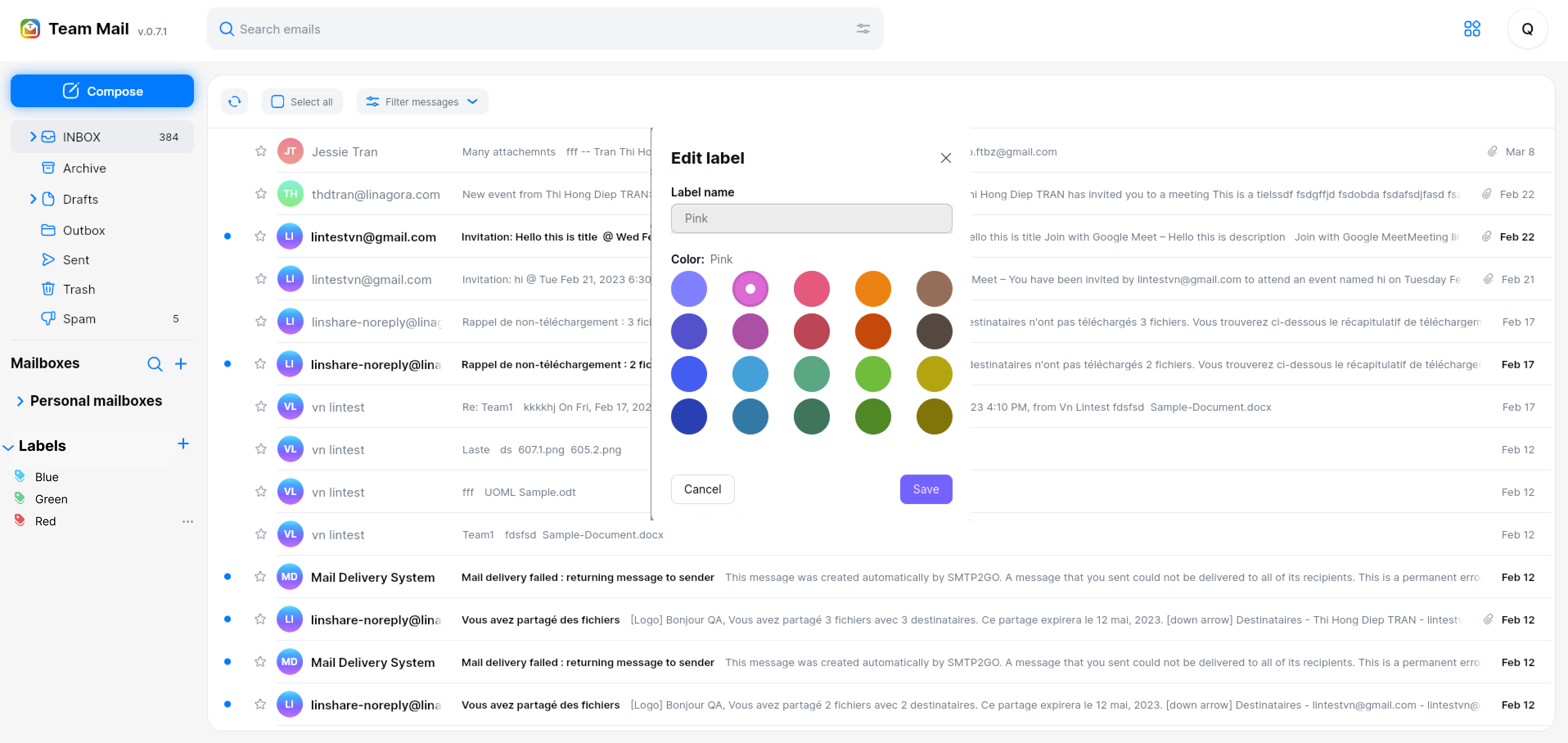
- I select Edit, the popup of label will be displayed:
|
||
- The popup is as same as popup when I create the label
|
||
- Name of label is displayed but I cannot edit this name
|
||
- I can only select another color for this label then click button Save
|
||
- The new color is update for the label and all the messages that have this label will be updated with new color too.
|
||
|
||
|
||
|
||
|
||
|
||
|
||
|
||
|
||
|
||
[Back to Summary](#summary)
|
||
|
||
## Screenshots
|
||
|
||
None
|
||
|
||
[Back to Summary](#summary)
|
||
|
||
## Misc
|
||
|
||
None
|
||
|
||
[Back to Summary](#summary)
|